BunkerDocs
From MFM ticket to Bunker Delivery Note — offline, always correct
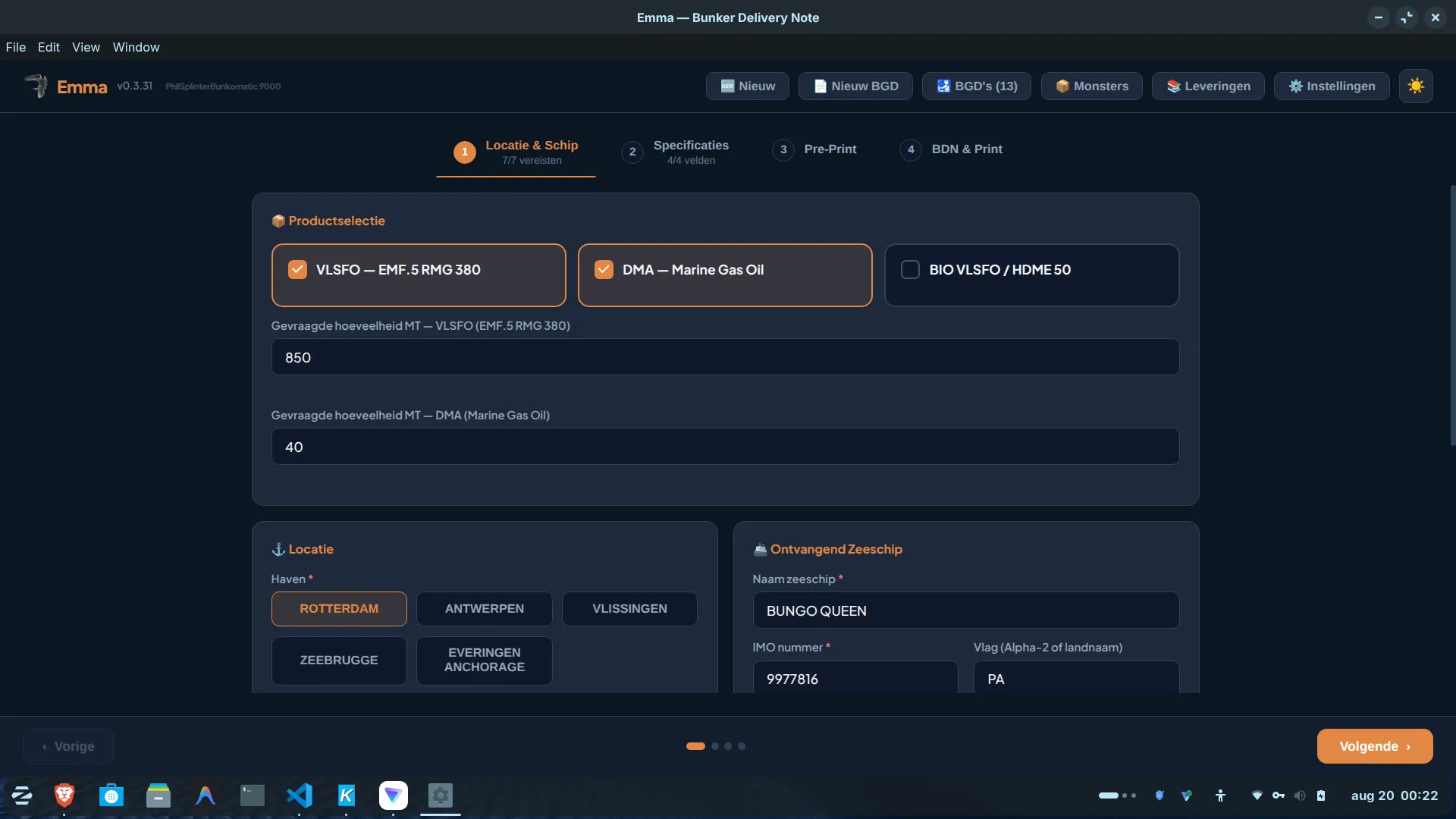
The successor to a macro-driven Excel workbook. Entering one delivery produces the complete package: the legal Bunker Delivery Note (BDN), sample labels, product specifications and safety data sheets — all from that single entry, without anyone stepping through a template by hand again.
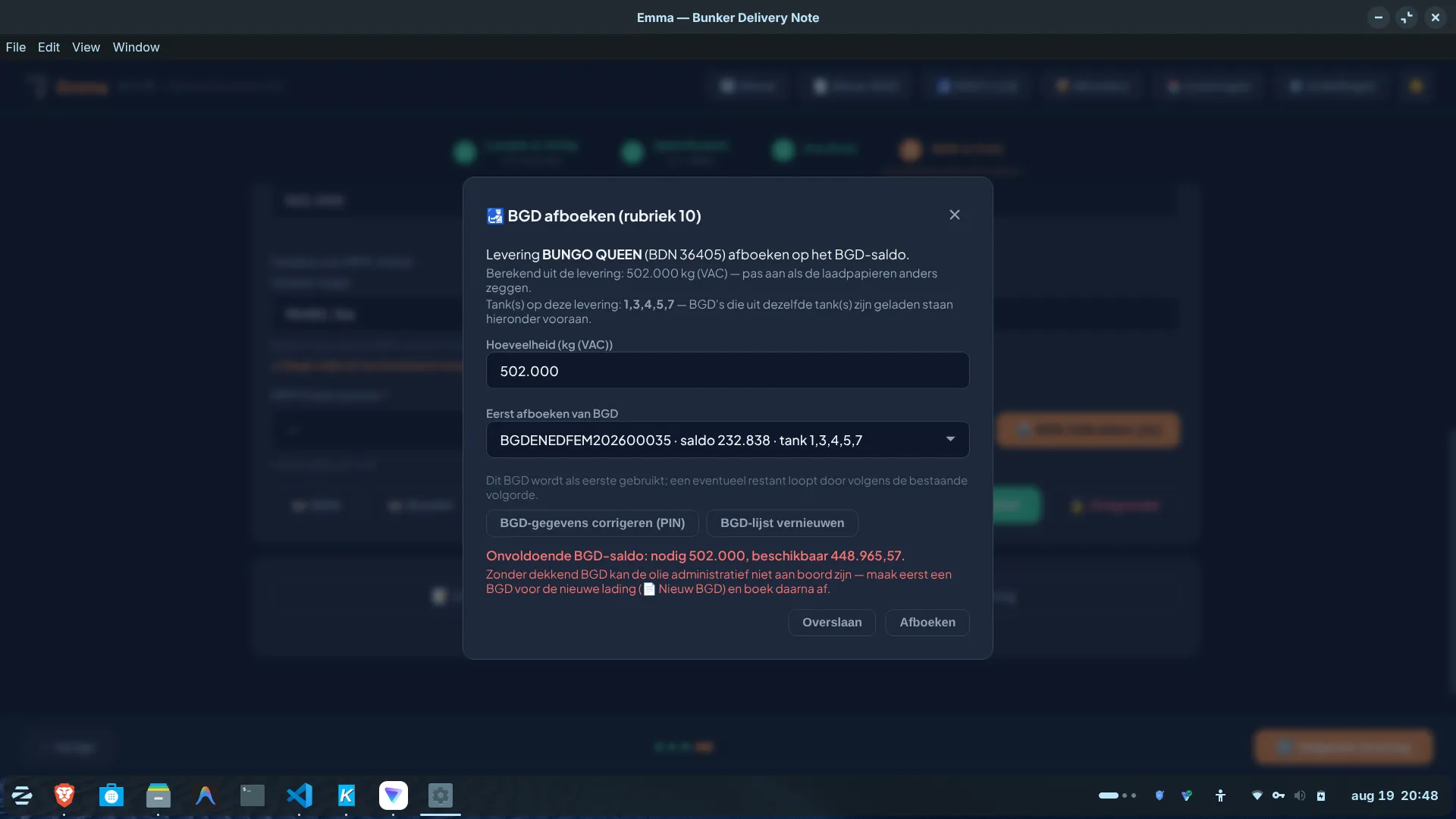
BDN numbers are validated live against the current block and against what has already been used — a duplicate or out-of-range number is flagged immediately, before it becomes a compliance problem. The BGD customs write-off administration follows the same principle: no bunker cargo can be administratively on board without a covering BGD, and the balance can never drop below zero. On top of that the app keeps the monthly stock list itself — a loading appears when you upload the customs document, a delivery when you finish the product line — with shore-versus-own-sounding differences shown in colour.
Fully offline: a single SQLite file on the barge PC is the only store, no network required. An automatic MFM continuity check and Qmin/MMQ warning follow ISO 22192. Updates and template packs are picked up by themselves the moment there is a connection; the rest of the time everything just keeps working.
Rather talk first? Feel free to call or email me. +31 20 369 5765 · info@shipdocs.app
In pictures
What it does
- Enter one delivery → the complete package: BDN, sample labels, product specs and safety data sheets
- BDN numbers validated live against the current block — a duplicate or out-of-range number is flagged immediately
- BGD customs write-off administration with FIFO allocation; the balance can never drop below zero
- The monthly stock list is kept automatically — loading on upload, delivery on completion; sounding differences in colour
- Automatic MFM continuity check and Qmin/MMQ warning per ISO 22192
- Runs fully offline on Windows and Linux; updates and template packs arrive by themselves
- Templates are office-controlled and day-code locked; the skipper freely edits BDN ranges and vessel data
What's new
Recent improvements, newest first.
Version 1.0 — the whole bunker administration on board
August 2026BunkerDocs reaches 1.0. The macro-driven Excel is fully replaced: the app now covers the whole chain on board — from MFM ticket and delivery note to the monthly stock list and the BGD customs administration, all from that single entry and fully offline.
The stock list rolls over into a new month by itself
August 2026When a loading or delivery falls in a month that has no workbook yet, the app now creates it itself — carrying the opening balance from where the previous month closed. Previously an empty workbook always had to be set up by hand first. The sheet has also been widened from 52 to 80 rows so a busy month no longer runs out; and if a sheet does fill up, that is now reported clearly instead of a line silently disappearing.
Force-rewrite a BGD, and delete a write-off only with a reason
August 2026When a BGD Excel's header data (opening quantity, tanks, GN code) no longer matches the database, the app can now force-rewrite the file with its own data — with a mandatory reason and in the audit log; previously such a conflict was a dead end. Deleting a write-off now always asks for a reason and is logged, and if that line was holding the balance at zero, the app warns that the BGD will start counting as open again.
The monthly stock list keeps itself up to date
August 2026A loading appears on the stock list the moment you upload the customs document, a delivery as soon as you finish the product line — you retype nothing. The app writes the Excel file itself, leaves your own columns (soundings, shore tank) untouched, checks the layout up front and reads its own work back afterwards. Differences between the shore figure and your own sounding are colour-coded (orange above 0.3%, red above 0.5%).
Soundings required, and straight onto the stock list
August 2026Every transfer carries its own sounding next to the meter or shore figure: ROB before and after bunkering on a delivery, and a sounding before and after loading on a new BGD. Those soundings land automatically in the right columns of the stock list, with the loaded or delivered quantity as a checkable formula. Anything already entered by hand is never overwritten.
Cargo origin and a shared vessel list
August 2026On a new BGD you pick the origin — the terminal, or the colleague lighter on a transfer — from a list that remembers itself instead of retyping it each time; that name goes onto the stock list in the "Loaded from" column. The vessel and customer list is also shared across installations through a fleet pack, growing along without ever overwriting your own entries.
Optional extra documents when creating a BGD
August 2026The office can mark a PDF template as available at loading; the skipper is then offered it as an optional extra document next to the BGD Excel, with the BGD's data already filled in. Only what you tick is generated, tidily into the current folder.
MFM automation per ISO 22192
August 2026Automatic check that a delivery's starting totalizer reading matches the previous delivery's end reading on the same flow meter (Annex O), plus a warning whenever a quantity falls below the instrument's MMQ/Qmin — with a direct link to the Bunker Requisition Form.
Managed BGD workbooks fully editable, MRN no longer lost
August 2026A manual correction made by the office on a BGD workbook can now be adopted directly as the new source of truth. Newly built workbooks are now fully editable (the customs template itself used to lock them almost shut), and the legal MRN number no longer disappears in a number of edge cases.
For skippers who want to close out a bunker delivery without an Excel macro that once went wrong, and for offices who want every BDN number and every customs write-off to be correct before it becomes a problem.
BunkerDocs
Windows · Linux — app aan boord